
Adding / Editing DNS Records for a Subdomain

  1. Log in to the Plesk control panel

  2. Go to Websites & Domains

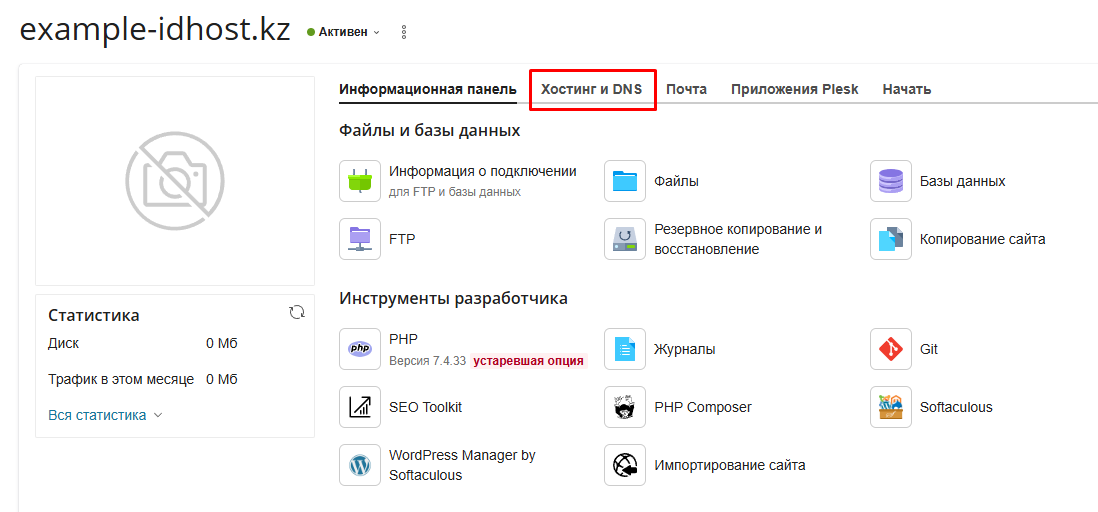
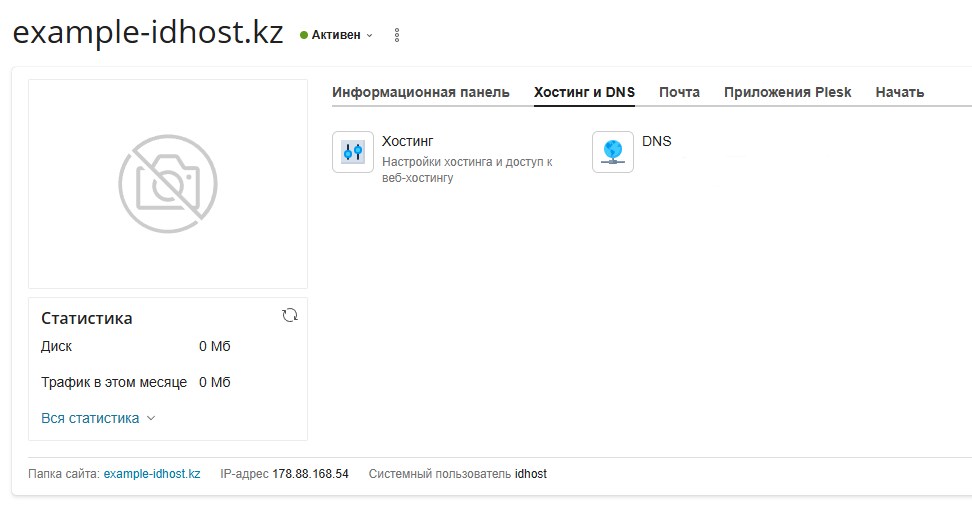
  3. To add or modify DNS records for a subdomain, open the main domain, go to the Hosting & DNS tab, and select DNS
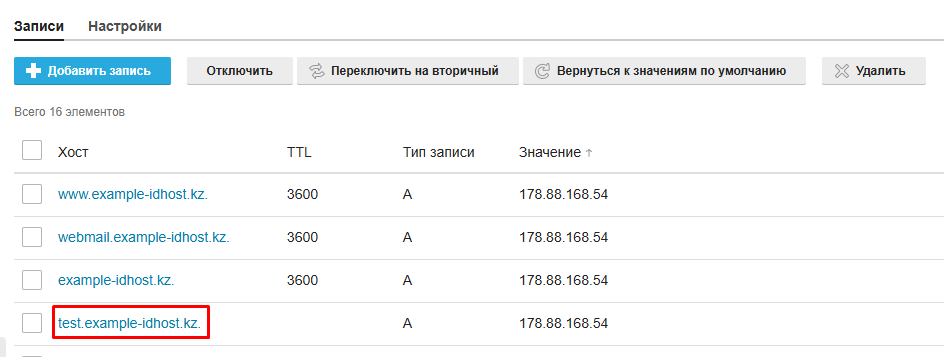
   4. Select the required record and click the subdomain name in the Host column to edit it
   5. Make the necessary changes
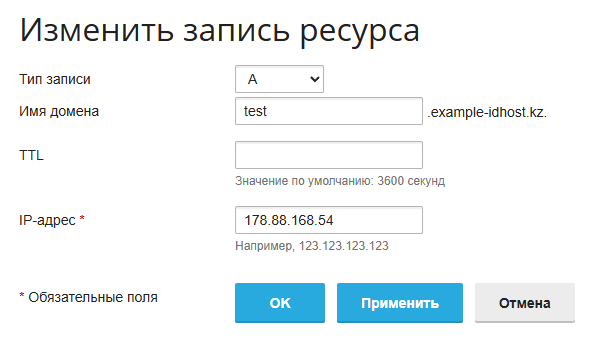
   6. Click Update to save the changes.

  • 3 Users Found This Useful
Was this answer helpful?

Related Articles

SSH access on virtual hosting

Please note that SSH access is not provided on virtual hosting. SSH connectivity is available...

Adding a Domain to Plesk Hosting

1. Log in to the Plesk control panel.2. In the «Websites and Domains» section, click «Add...

Adding a Subdomain in Plesk Hosting

1. Log in to the Plesk panel.2. To add a subdomain/domain alias, in the «Websites and Domains»...

Доступ к Веб-статистике

1. Войдите в панель управления хостингом Plesk. 2. Раздел статистики защищен паролем. В разделе...

Параметры соединения с базой данных

Войдите в панель управления хостингом Plesk     2. Перейдите в раздел Базы данных....